• Docs
  • Changelog
Sign in
Get started
    • Home
    • Your first deploy
    • Free instances
    • Platform features by plan
    • Use with coding agents
    • FAQ
    • Templates
      • Migrate from…
        • Heroku
        • Railway
    • Compute plans
    • SandboxesBeta
      • Service types
        • Which to use?
        • Static sites
        • Web services
        • Private services
        • Background workers
        • Cron jobs
        • Workflows
        • Multi-service architectures
      • Data storage
        • Render Postgres
        • Render Key Value (Redis®-compatible)
        • Persistent disks
    • How deploys work
    • Supported languages
    • Git providers (GitHub, etc.)
    • Build pipeline
    • Deploy hooks
    • Monorepo support
    • Troubleshooting deploys
      • Previewing changes
        • Single-service previews
        • Preview environments (multi-service)
      • Docker deploys
        • Overview
        • Deploy a registered image
        • Using secrets
      • Runtime
        • Native runtimes
        • Environment variables & secrets
        • Default environment variables
    • Intro to sandboxes
    • Limits
      • How to…
        • Create & configure sandboxes
        • Execute commands
        • Manage files
        • Manage snapshots
      • Use with…
        • Claude Managed Agents
        • Cursor Cloud Agents
        • OpenAI Agents API
      • SDK/CLI reference
        • TypeScript SDK
        • Python SDK
        • CLI commands
    • Intro to workflows
    • Tutorial
    • Limits & pricing
      • How to…
        • Define tasks
        • Define flowsNew
        • Trigger runs
        • Develop locally
      • SDK reference
        • TypeScript SDK
        • Python SDK
      • Example workflows
        • TypeScript examples
        • Python examples
    • Overview
    • Create & connect
    • Database credentials
    • Extensions
    • Version upgrades
    • Logical replication
    • Legacy instance types
      • Database recovery
        • Recovery & backups
        • High availability
      • Database performance
        • Read replicas
        • Connection pooling
        • Admin apps
        • Repacking tables
        • Troubleshooting performance
    • Regions
    • Inbound IP rules
    • Edge caching
    • WebSockets
    • TLS certificates
      • Custom domains
        • Overview
        • Cloudflare
        • Namecheap
        • Other DNS providers
      • Internal traffic
        • Private network
        • Private links
      • Outbound traffic
        • Default IP ranges
        • Dedicated IP addresses
        • Outbound bandwidth
        • Handling network changes
      • Static site config
        • Custom response headers
        • Redirects & rewrites
    • The Render Dashboard
    • SSH / Shell access
    • Projects & environments
      • Service actions
        • Scaling
        • Rollbacks
        • Maintenance mode
        • One-off jobs
      • Infrastructure as code
        • Blueprints overview
        • render.yaml reference
        • Terraform provider
    • In-dashboard metrics
    • Health checks
    • Uptime best practices
      • Logging
        • In-dashboard logs
        • Log streams (syslog/HTTPS)
      • OpenTelemetry (OTel) metrics
        • Provider setup
        • Metrics reference
      • Notifications
        • Webhooks
        • Email / Slack
    • MCP Server
      • Render CLI
        • Overview
        • Command reference
      • REST API
        • Overview
        • API reference
      • Third-party connections
        • OIDC support
        • Datadog
    • Workspaces, members, & roles
    • Login settings
    • Audit logs
      • Organizations
        • Overview
        • SAML SSO
    • DDoS protection
    • Platform maintenance
      • Compliance
        • Overview
        • HIPAA (US health data)
        • HIPAA best practices
        • Shared responsibility model
        • Pentest policy
    • Heroku vs Render
    • Vercel vs Render

Troubleshooting Python Deploys

If your Python app fails to deploy on Render, see below for common causes and resolutions.

For more general-purpose troubleshooting tips, see Troubleshooting Your Deploy.

Incorrect runtime

While creating a Render service, you select the runtime that corresponds to your language:

Selecting the Python native runtime

If you select an incorrect runtime, your service's environment lacks Python-specific tools and libraries that you might need (such as Poetry).

Example symptoms

If you encounter any of the following issues, your service might be using an incorrect runtime:

  • Setting the PYTHON_VERSION environment variable does not change your service's Python version.
  • Your deploy logs include messages such as bash: poetry: command not found
    • Poetry and other Python tools are included only in the Python runtime.

Steps to resolve

  1. In the Render Dashboard, open your service's settings and confirm at the top of the page that the runtime is Python 3 (or Docker if your Python app is built from a Dockerfile):
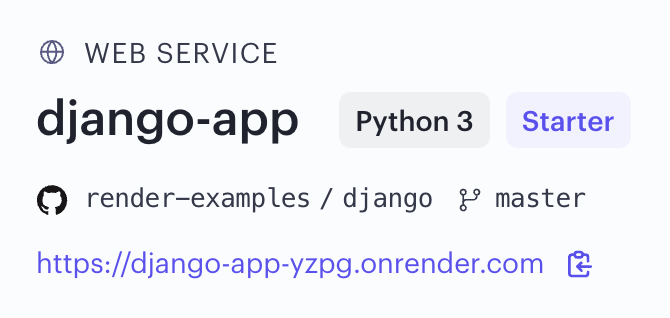
    The Python 3 runtime label for a service in the Render Dashboard

  2. If your service is using a non-Python runtime, you can change it by following these steps.

Incompatible Python version

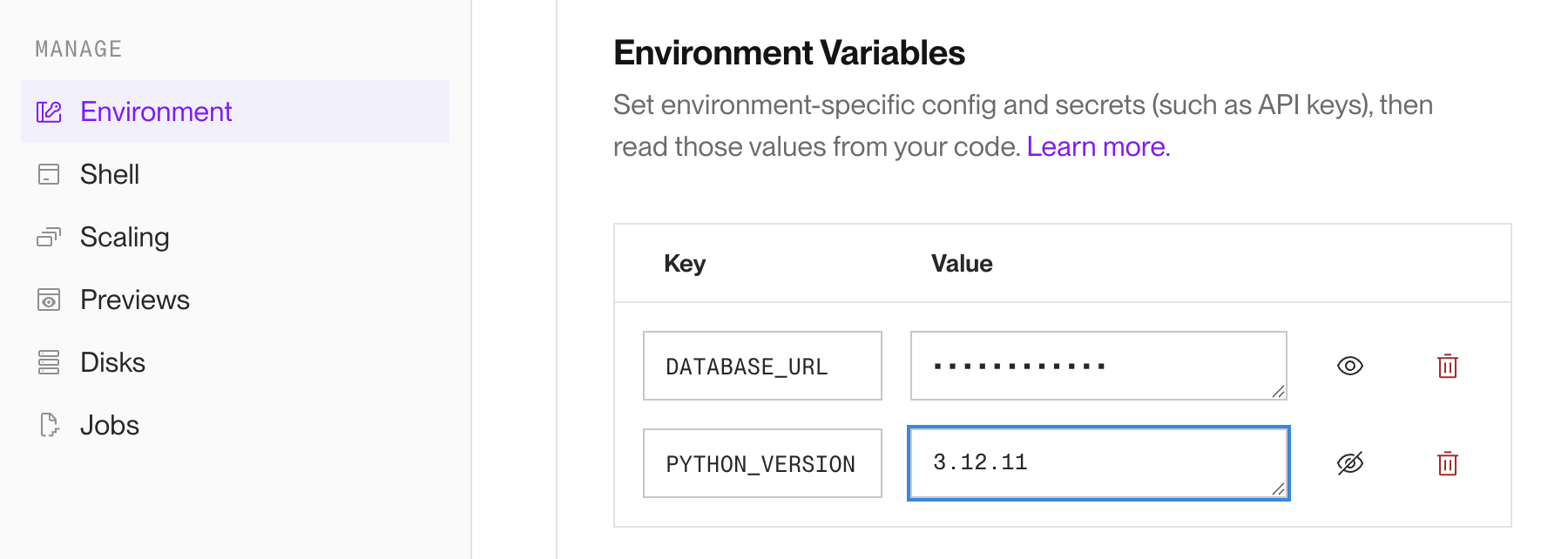
You can set a Python version for your service via the PYTHON_VERSION environment variable:

Setting the PYTHON_VERSION environment variable

If you don't do this, Render uses its default version.

It's possible that your app uses a language feature or a dependency that requires a different version of Python from what your service currently uses.

Example symptoms

If you encounter any of the following issues, your service's Python version might be incompatible with your app:

  • Your deploy logs include messages such as:
    • Current Python version (3.11.10) is not allowed by the project (^3.12).
    • SyntaxError: invalid syntax. This often means your code uses syntax that was introduced in a newer version of Python than what your service uses.

Steps to resolve

  1. Verify which version(s) of Python your app is compatible with:

    • If your project uses a pyproject.toml file, the python key specifies Python version compatibility.
    • If your app works on your local machine, check which Python version you're running locally. (If you're using a virtual environment, make sure to check the Python version for that environment.)
  2. In the Render Dashboard, go to your service's Environment page and set a compatible Python version via the PYTHON_VERSION environment variable:

    Setting the PYTHON_VERSION environment variable

Missing dependencies

If your app uses third-party libraries (such as packages available on PyPI), you need to install those dependencies in your service's runtime.

Example symptoms

If you encounter any of the following issues, your service might be missing third-party dependencies required by your app:

  • Your app crashes deterministically. It might crash on startup, or when you trigger a specific code path.
  • Your deploy logs include messages such as:
    • ModuleNotFoundError
    • ImportError

Steps to resolve

  1. Specify your app's Python dependencies in a dependency file. Add this file to your codebase and commit it via version control.

    Exactly how you do this differs based on which package management tool you're using. For example:

    • If you're using pip, commit a requirements.txt file. You can use pip freeze to generate this file.
    • If you're using Poetry, commit both your project's pyproject.toml file and the autogenerated poetry.lock file.
  2. In the Render Dashboard, go to your service's Settings page and ensure that you've configured the Build Command to install your Python dependencies.

    The command you use depends on your package management tool:

    • If you're using pip, use pip install -r requirements.txt.
    • If you're using Poetry, use poetry install.
    • If you're using uv, use uv sync.
      • To use uv, a uv.lock file must be present in your service's root directory. Learn more.

    Your build command can run the corresponding command directly (possibly in conjunction with other commands relevant to your build step), or it can execute a script in your repo that includes the command. Learn more about the build command.

Troubleshooting Python Deploys
  • Incorrect runtime
    • Example symptoms
    • Steps to resolve
  • Incompatible Python version
    • Example symptoms
    • Steps to resolve
  • Missing dependencies
    • Example symptoms
    • Steps to resolve
All Systems Operational
© Render Inc. All rights reserved.