Service Previews
Test proposed changes in a temporary standalone instance.
Render will support service previews for stacked pull requests on November 18, 2026.
Render service previews enable you to test out proposed changes to a web service or static site before you deploy those changes to production.

For each service preview, Render creates a separate, temporary instance of your service with its own onrender.com URL (served over HTTP/2 with full TLS), so you can validate your changes safely. Render automatically sets the HTTP response header X-Robots-Tag: noindex for all preview instances.
There are two types of service previews:
- Pull request previews (for Git-backed services)
- Image previews (for services that deploy a Docker image from a container registry)
See details for each below.
Service previews only replicate the service with proposed changes.
To create temporary instances of multiple services (including datastores) for integration testing, see Preview Environments.
Pull request previews (Git-backed)
For Git-backed services, Render can create a service preview for pull requests opened against your linked branch or stacked on that branch. You can create a separate preview for every pull request, or only for pull requests that you specify.
Steps to enable
-
In the Render Dashboard, select your service and open its Previews tab:
-
Under Pull Request Previews, select either Manual or Automatic:
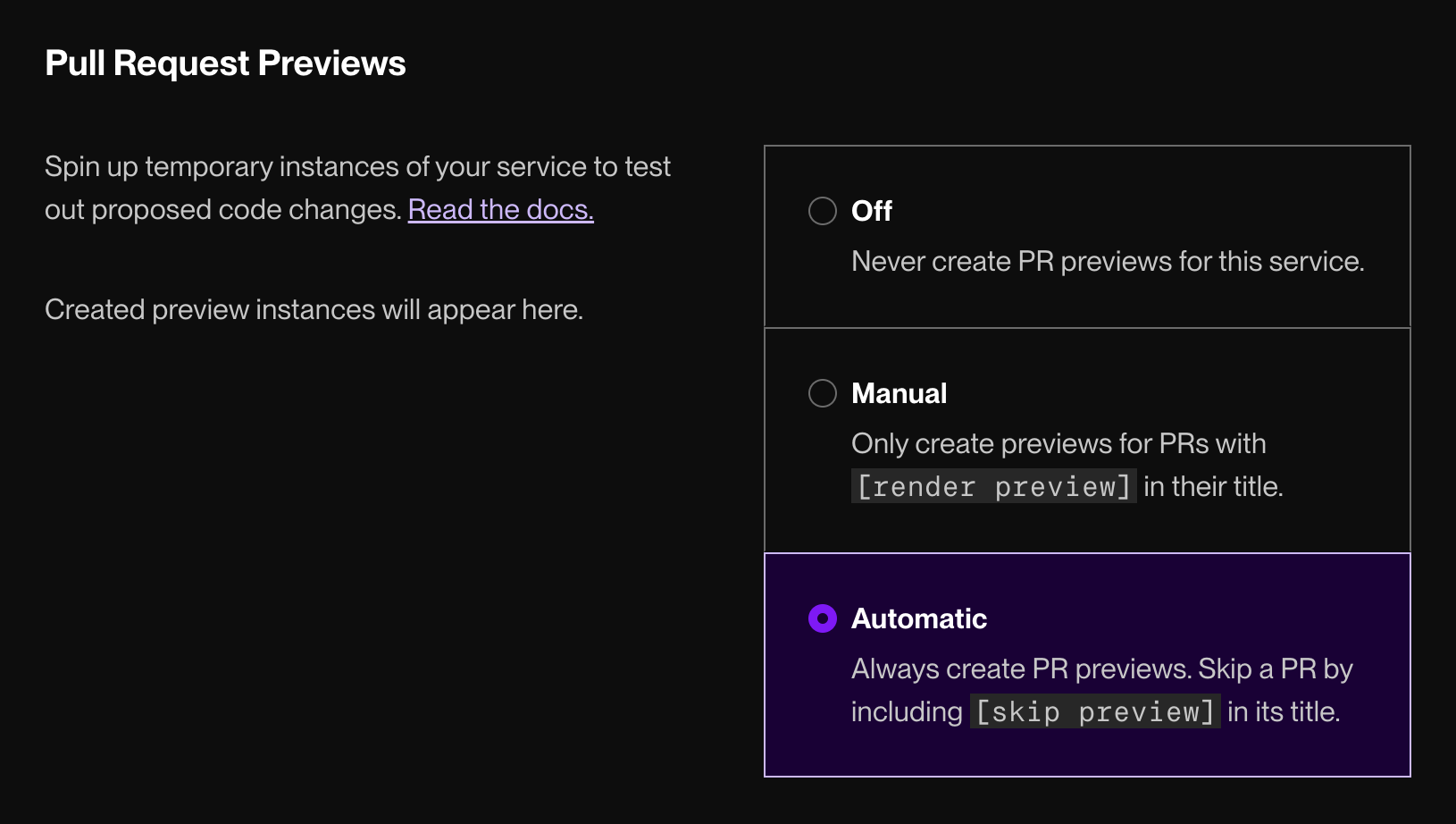
For details on each option, see Manual vs. automatic previews.

That's it! After you enable service previews, active preview instances appear on your service's Previews tab:

Preview details also appear on their associated PR:
-
On GitHub, preview instances are represented as deployments associated with your PR:
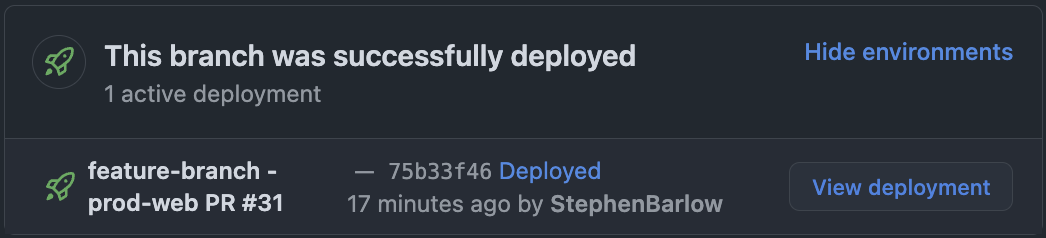
Click View deployment to open the preview instance in your browser.
-
On GitLab, Bitbucket, and Cursor Origin, Render adds a comment to your PR with a link to your preview instance.

Manual vs. automatic PR previews
| Preview Mode | Description |
|---|---|
|
Manual |
By default, Render does not create PR previews. To create a preview for a specific PR, do any of the following:
You can add or remove the above values from an existing PR at any time. If you do, Render creates or deprovisions the associated preview instance accordingly. |
|
Automatic |
By default, Render creates a preview instance for every PR against your service's linked branch. Render also creates a preview instance for each PR in a stack built on your linked branch. You can skip individual previews for specific PRs. |
Skipping a preview
For services with automatic PR previews enabled, you can skip creating a preview for a specific PR. Do any of the following:
- Add the label
render-preview-skipto the PR (GitHub/GitLab only). - Include any of the following strings in your PR's title (not the commit message):
[skip preview][preview skip][skip render][render skip]
You can add or remove the above values from an existing PR at any time. If you do, Render creates or deprovisions the associated preview instance accordingly.
Your pull request's title might be included in the message for its associated merge commit.
If you use [skip render] or [render skip], this also skips the auto-deploy for the service when merged.
To avoid this, instead use [skip preview] or [preview skip].
Working with PR previews
-
Preview instances copy all of their settings over from their base service when they're first created. This includes environment variables, such as database connection information.
Make sure to change environment variables on your preview instance if you want it to use a staging or test database. -
Your app can detect whether it's a PR preview by checking the value of the
IS_PULL_REQUESTenvironment variable (truefor a PR preview,falseotherwise). -
Whenever you push to the branch for an open PR, Render automatically updates the PR preview by building and deploying the latest commit.
-
Render automatically deletes a PR preview instance when its associated PR is merged or closed.
- You can manually delete a PR preview instance from its Settings tab in the Render Dashboard. However, Render recreates the instance if you push new changes to the associated PR branch.
-
If you're using a monorepo, you can fine-tune its PR preview behavior by defining the root directory or specifying build filters.
-
If you make changes to your base service after creating a PR preview, those changes are not applied to the preview instance.
Stacked pull requests
Service previews for stacked PRs on GitHub are coming soon.
Starting November 18, 2026, Render can create service previews for every PR in a stack. See details below.
To enable this feature sooner, reach out to our support team in the Render Dashboard.
In a PR stack, each PR targets the branch of the PR below it:
Each preview instance for a stacked PR deploys that PR's branch, including the changes from every PR below it. Your preview mode determines how Render handles preview instances for stacked PRs:
- Automatic: Render automatically creates a preview instance for each PR in a stack built on your linked branch. In the example above, both PRs get a preview instance.
- Manual: Add the
render-previewlabel or include[render preview]in the title of each PR you want to preview.
In automatic mode, you can skip the preview instance for any PR in a stack by including [skip preview] in its title. This is useful for mid-stack PRs, since the top PR's preview instance includes every change.
Billing for PR previews
PR Previews are billed at the same rate as your base service. They are always prorated by the second.
- If your base service is a free static site, its PR previews are also free.
- If your base service costs $25 per month and one of its PR preview instances is active for half of a month, that preview instance costs a total of $12.50.
Image previews
For image-backed services, you can create a service preview using the Render API. Specifically, you use the Create service preview endpoint:
You can add this API request to your CI pipeline to automatically generate an image preview whenever an image tag is created or updated in your container registry. See an example.
Preview instances can deploy any tag or digest for the base service's associated Docker image. For details, see the API reference.
You can view all active previews from your service's Previews tab in the Render Dashboard:

Working with image previews
-
Preview instances copy all of their settings over from their base service when they're first created. This includes environment variables, such as database connection information.
Make sure to change environment variables on your preview instance if you want it to use a staging or test database. -
Render does not automatically delete image previews. Make sure to delete image previews when you're finished with them, either from the Render Dashboard or via the Render API.
-
If you make changes to your base service after creating an image preview, those changes are not applied to the preview instance.
Billing for image previews
An image preview is billed according to the compute plan you specify in your API request. If you don't specify a compute plan, Render uses the same compute plan as the base service.
If your base service uses a paid compute plan, its previews can't use the Free compute plan.
Example GitHub Action
This example uses GitHub Actions and pushes images to Docker Hub, but the high-level steps apply to any combination of CI provider and container registry.