Docker on Render
Build from a Dockerfile or pull from a container registry.
Render fully supports Docker-based deploys. Your services can:
- Pull and run a prebuilt image from a registry such as Docker Hub, or
- Build their own image at deploy time based on the Dockerfile in your project repo.
Render also provides native language runtimes that don't require Docker.
If you aren't sure whether to use Docker or a native runtime for your service, see this section.
Docker deployment methods
Pulling from a container registry
To pull a prebuilt Docker image from a container registry and run it on Render, see this article.
Building from a Dockerfile
Render can build your service's Docker image based on the Dockerfile in your project repo. To enable this, apply the following settings in the Render Dashboard during service creation:
-
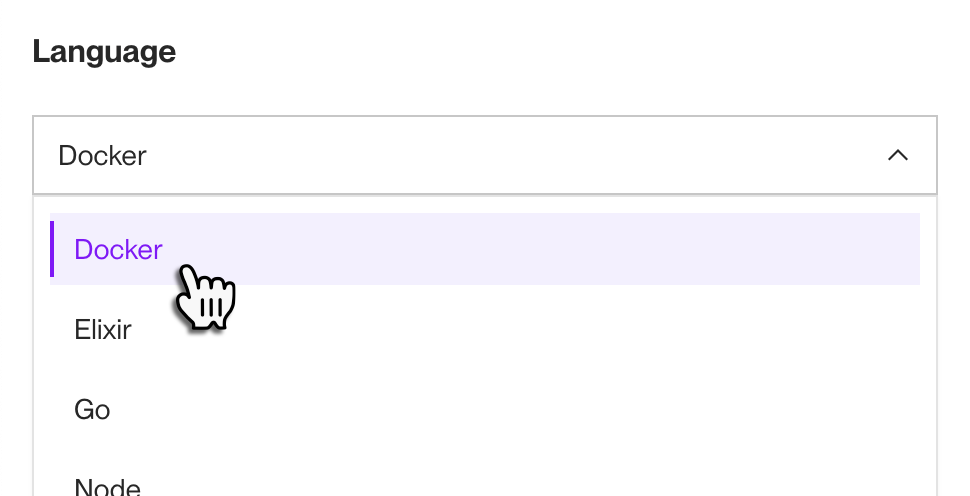
Set the Language field to Docker (even if your application uses a language listed in the dropdown):
-
If your Dockerfile is not in your repo's root directory, specify its path (e.g.,
my-subdirectory/Dockerfile) in the Dockerfile Path field: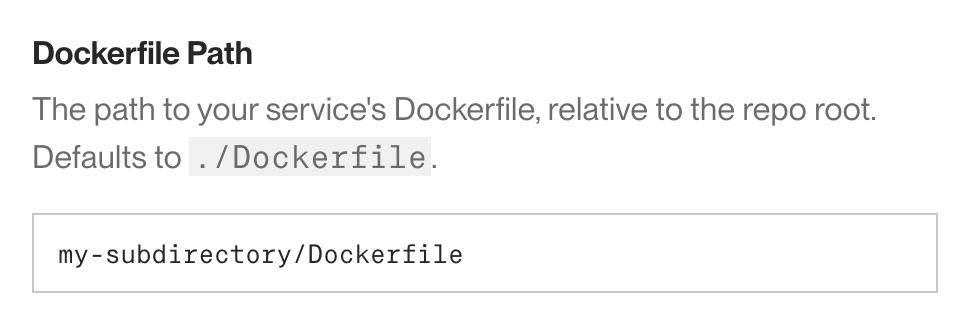
-
If your build process will need to pull any private image dependencies from a container registry (such as Docker Hub), provide a corresponding credential in the Registry Credential field under Advanced:
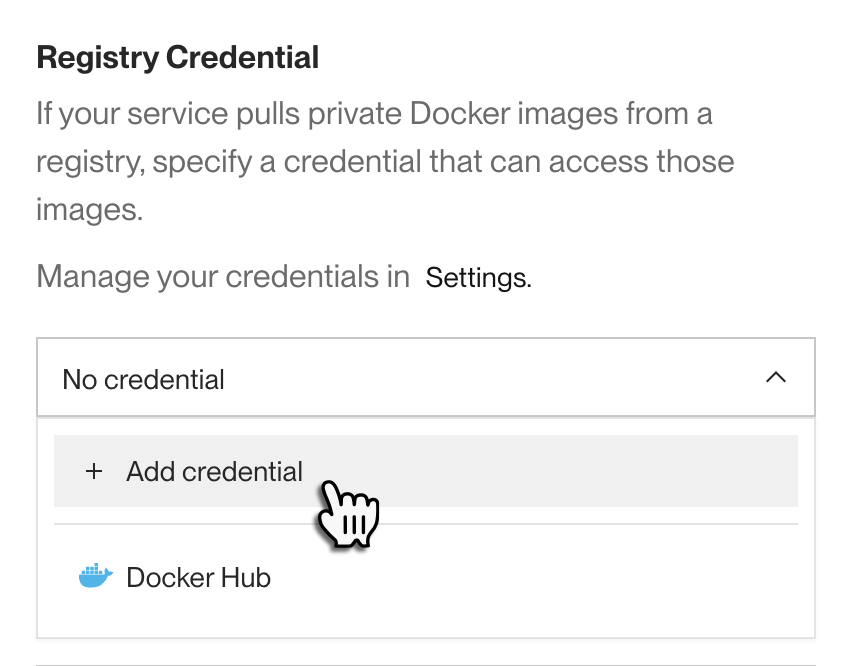
Learn more about adding registry credentials.
-
If Render should run a custom command to start your service instead of using the
CMDinstruction in your Dockerfile (this is uncommon), specify it in the Docker Command field under Advanced: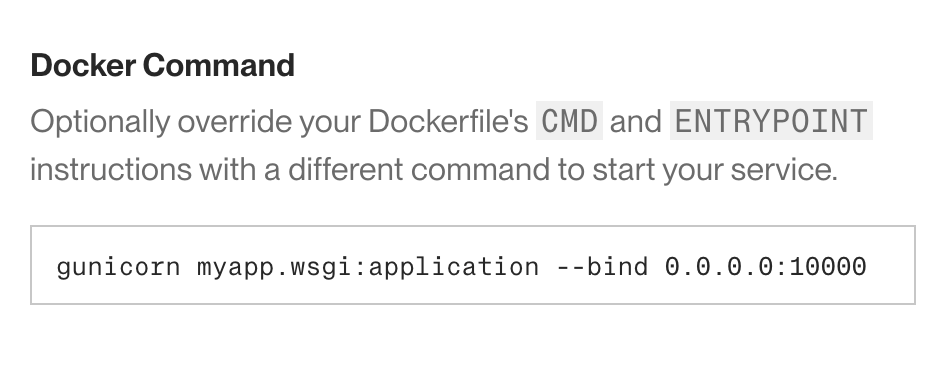
To run multiple commands, provide them to
/bin/sh -c.For example, here's a Docker Command for a Django service that runs database migrations and then starts the web server:
If your Docker image includes Bash, you can use
/bin/bash -cinstead of/bin/sh -c.Note that you can't customize the command that Render uses to build your image.
-
Specify the remainder of your service's configuration as appropriate for your project and click the Deploy button.


You're all set! Every time a deploy is triggered for your service, Render uses BuildKit to generate an updated image based on your repo's Dockerfile. Render stores your images in a private, secure container registry.
Your Docker-based services support zero-downtime deploys, just like services that use a native language runtime.
Docker or native runtime?
Render provides native language runtimes for Node.js, Python, Ruby, Go, Rust, and Elixir. If your project uses one of these languages and you don't already use Docker, it's usually faster to get started with a native runtime. See Your First Render Deploy.
You should use Docker for your service in the following cases:
- Your project already uses Docker.
- Your project uses a language that Render doesn't support natively, such as PHP or a JVM-based language (such as Java, Kotlin, or Scala).
- Your project requires OS-level packages that aren't included in Render's native runtimes.
- With Docker, you have complete control over your base operating system and installed packages.
- You need guaranteed reproducible builds.
- Native runtimes receive regular updates to improve functionality, security, and performance. Although we aim to provide full backward compatibility, using a Dockerfile helps ensure that your production runtime matches your local builds.
Most platform capabilities are supported identically for Docker-based services and native runtime services, including:
- Zero-downtime deploys
- Setting a pre-deploy command to run database migrations and other tasks before each deploy
- Private networking
- Support for persistent disk storage
- Custom domains
- Automatic Brotli and gzip compression
- Infrastructure as code support with Render Blueprints
Docker-specific features
Environment variable translation
If you set environment variables for a Docker-based service, Render automatically translates those values to Docker build arguments that are available during your image's build process. These values are also available to your service at runtime as standard environment variables.
In your Dockerfile, do not reference any build arguments that contain sensitive values (such as passwords or API keys).
Otherwise, those sensitive values might be included in your generated image, which introduces a security risk. If you need to reference sensitive values during a build, use a secret file instead. For details, see Using Secrets with Docker.
Image builds
- Render supports parallelized multi-stage builds.
- Render omits files and directories from your build context based on your
.dockerignorefile. - Render copies your service's secret files into the root of your build context. To keep them out of your image, add them to
.dockerignore.
Image caching
Render caches all intermediate build layers in your Dockerfile, which significantly speeds up subsequent builds. To further optimize your images and improve build times, follow these instructions from Docker.
Render also maintains a cache of public images pulled from container registries. Because of this, pulling an image with a mutable tag (e.g., latest) might result in a build that uses a cached, less recent version of the image. To ensure that you don't use a cached public image, do one of the following:
- Reference an immutable tag when you deploy (e.g., a specific version like
v1.2.3) - Add a credential to your image. For details, see Credentials for private images.
Popular public images
See quickstarts for deploying popular open-source applications using their official Docker images:
Infrastructure components
Blogging and content management
Analytics and business intelligence
Communication and collaboration